2022年4月15日星期五

How do the MB SD C4 Plus Connection Error


How do the MB SD C4 Plus Connection Error-1

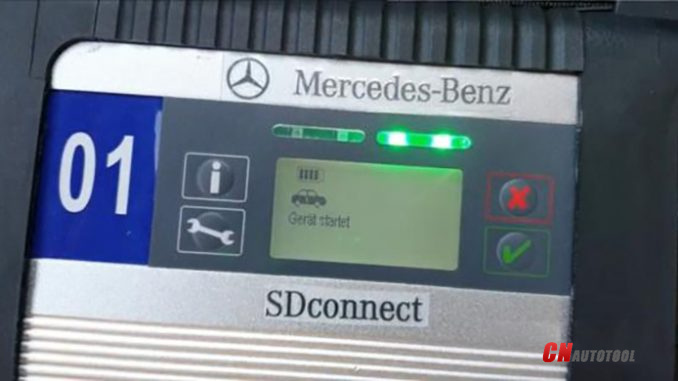
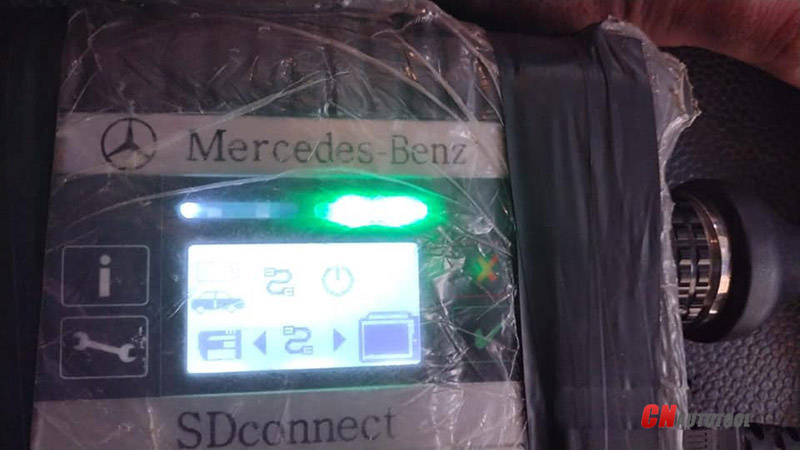
MB SD C4 Plus Connection Error “Verify the battery” Solution

Q: I have a problem with the connection between the C4 and my car, cables and notebook are not a problem. The defect is in c4, any suggestions for a solution?
On Xentry, after a blue scroll bar appears on the screen, 30 and 31 appear, I swap the c4 module for another, it works again.

How do the MB SD C4 Plus Connection Error-2
CnAutotool.com engineers answer:
A flat battery may affect the device, or connection ports need to be cleaned.

Solutions:
1. Re-flash firmware and make sure the battery is good
2. Clean connection ports (Took an air blaster to it and sprayed some electrical contact spray solvent into it)

1. How to re-flash firmware?
Right-click “SDconnect Toolkit” and select “Goto BIN directory”.
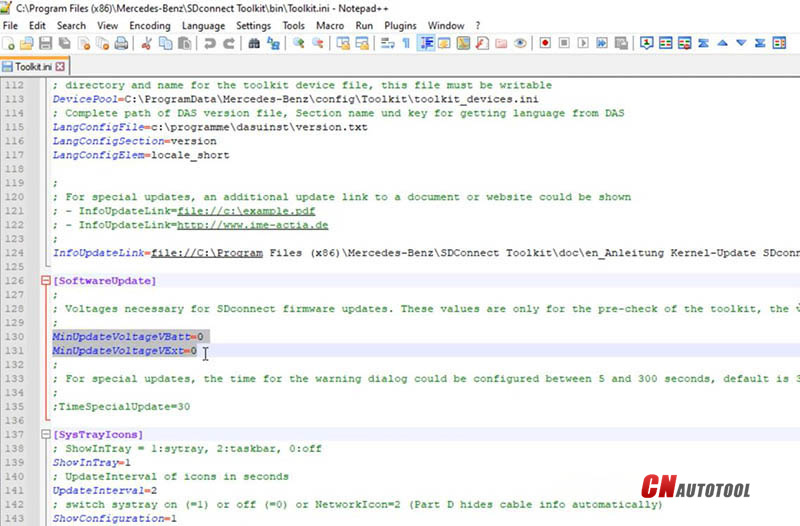
Edit “Toolkit.ini”. (This step requires no battery inside SD C4)
Find “MinUpdateVoltageVBatt=7200” and “MinUpdateVoltageVExt=11000”.
Switch both values into “0”.
How do the MB SD C4 Plus Connection Error-3
Then reboot your computer.
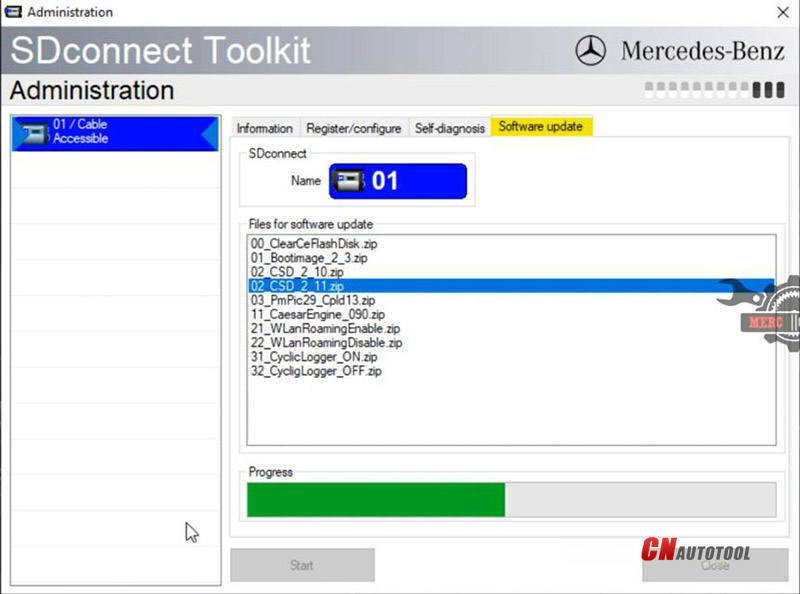
Right-click “SDconnect Toolkit” and select “Administration”.
Select the device when it’s identified.
Go to “Software update”.
Download “02_CSD_2_11.zip” “01_Bootimage_2_3.zip” “03_PmPic29_Cpld13.zip”. (Do Not change the order)
How do the MB SD C4 Plus Connection Error-4
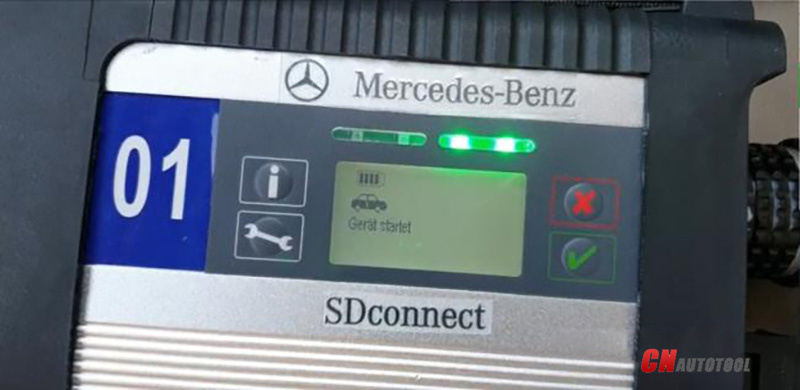
Install a good battery and connect SD C4 to the vehicle.
Now Xentry software and MB SD C4 Plus should be fine.

How do the MB SD C4 Plus Connection Error-5


2019年3月20日星期三

Scania VCI-3 VCI3 Scanner Wifi Wireless Diagnostic Tool Online

V2.21 Scania VCI-3 VCI3 Scanner Wifi Wireless Diagnostic Tool Online
SCANIA VCI3 Highlights:
1. Scania VCI3 is designed to support all Scania diagnostic systems based on CAN network, it’s a extremely fast yet very compact diagnostic tool.
2. One of the most interesting new features that can be found in Scania VCI3 is a Wifi wireless connection (also there is a USB connector for wired connection).
3. From now you can work without wired connection to your truck, just forget these problems like damaged data cables and other disadvantages of wired connections.
4. Software support for Scania VCI3 appeared in Scania SDP3 2.18 version so if you want to use this tool you need this version of SDP3 or later versions of this software.
5. The device is designed for full service trucks, buses and other heavy vehicles, which produces the corporation SCANIA. Adapter works in conjunction with software SDP-3.
6. The adapter does not work with trucks and engines manufactured before 2004.
7. The main feature of VCI-3 – Work through a high-speed WI-FI connection. Also in the device has a USB port.
Attention: You need to install the V2.21 Scania VCI-3 Software on window7 32bit.

2019年3月12日星期二

(Free Download )Nissan consult 3 plus V72.13 – ECU programming works

Nissan Consult 3 Plus features:
– Update support ECU programming without immobiliser card (old version does not support programming)
– Perform diagnosis and programming till year 2016.
Nissan Consult 3 Plus works on:
1.Nissan Consult-3 plus (Nissan consult 3+) work for all nissan car, infiniti car and nissan gtr car to 2016.
2.Nissan Consult-3 plus work with obd-16 connector for the new kind of car, work with 14 pin connector for the old Nissan.
3.Nissan Consult-3 plus support Nissan car electronic system diagnostic
4.Nissan Consult-3 plus support Nissan electromobiles such as Leaf.
5.Nissan Consult-3 plus support all Renault diagnosis.
6.Can calculate the security code for the new cars till year 2016 with NISSAN Password.
Note: Nissan Consult iii Plus support key programming as well,but you need to buy immobiliser security card to work with.
Cnautotool.com Nissan Consult 3 Plus V72.13 installation:
1.Click Consult-iii-* setup.exe
2.Step 2: Just show Nissan Consult III Setup Wizard
3.Step 3: Choose the installation path of Consult III
4.Step 4: click Install Consult III software
5.Step 5: wait for the Installshield Wizar
6.Step 6: Choose: accept the terms of Nissan Consult License agreement
7.Step 7: Choose North America market(NAM), click next
8.Step 8: Choose North America
9.Step 9: choose U.S.A
10.Step 10: you also can choose others language Step 11: the installation of Consult – III software succeeded
The installation guide of Nissan Consult III USB drive Connect the Consult III firmware with your pc by USB cables, and connect the Consult III hardware with your car via OBD-II 16pin diagnostic plug, supply 12V power to Consult III firmware.
1.Step 1: Found New hardware( Nissan Consult III) Wizard, choose “Yes, this time only”
2.Step 2: Choose Install the Consult III software automatically
3.Step 3 Choose JCI-iB-Alliance vehicle interface, just click next
4.Step 4: just click finish, completing Consult III hardware drive installation
How to Crack Nissan Consult III software, and configure Consult III software
1.Step 1: Open Consult III software on desktop
2.Step 2: perhaps show these error: there are no registered VI/MI, please contact your administrator, just ignore, click “OK”
3.Step 3: click “SUB” button
4.Step 4: click Administrator setting
5.Step 5: input Consult III Password — nissanconsult3
6.Step 6: Choose VIMI registration
7.Step 7: Input Consult III VI serial number: 926573, and click: set
8.Step 8: Click the home button
9.Step 9: then click: “Connect” button
10.Step 10: the Consult III will found hardware, show: checking the firmware version
11.Step 11: choose the Function of Consult III software, just enjoy it

2019年3月6日星期三

What the Autel ms908s Pro can do for you

 Wireless printing may be tough to get your head about since it requires your MaxiSys to communicate together with your Computer via a network. This sounds a lot more difficult than it truly is.
Difficulty: Average. Expertise of installing a conventional printer is going to be a bonus.
Time: 10 – 20 mins primarily based on online connection and updates.
What to prepare:
* An active Internet connection on your Computer.
* A Wireless Network – like a broadband router.
* A Windows Primarily based Computer with full administrative Rights (be capable of run programs in administrative mode)
* To make certain the Pc is connected towards the network either wirelessly by way of Ethernet.
* Your Computer to possess Adobe Reader installed.
* The MaxiSys Pc Suite CD (positioned inside the box).
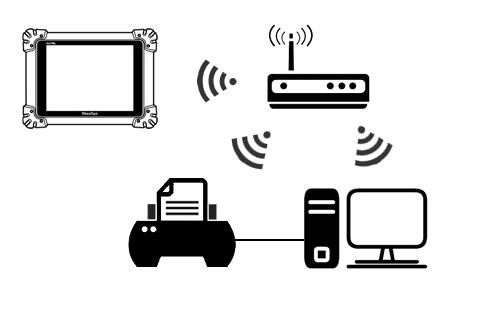
Firstly, possess a appear in the following diagram:
ms908p-1
So how does this diagram operate? Initial you need to set up the MaxiSys Print Driver in your Pc. Then you definitely connect your MaxiSys towards the identical network. Then, after you send a Print command from your MaxiSys, the MaxiSys will search the network for PCs that have the print driver installed. The MaxiSys (through being connected towards the similar network as your Computer) sends the information for the Computer, which in turn prints the data. Consequently, all the following have to be connected for the Exact same network and turned on;
* Your MaxiSys Tablet
* Your Pc
* Your Printer
After you have carried out this, stick to the measures below to set up the Print Driver on your Pc.
* Spot the Maxisys Pc Suite CD into your CD Drive. The software program might load automatically, but if not, Click Commence and after that My Laptop.
* You’ll want to now see a Orange Folder listed exactly where your CD drive usually is; this really is the Autel application CD. Double click to open this up. Inside this folder you must see an icon calledAutorun.exe. Click This. The welcome screen of the Computer suite really should now boot
* Around the Pc Suite screen, pick which Bluetooth Interface you’ve got (at time of going to publish, just about all UK users may have the black Bluetooth VCI unit, displayed on the appropriate) by clicking The installation will now begin.
* During installation you may be prompted to Set up Drivers or if you have a firewall, to let the computer software particular security preferences. This can be since the computer software is communicating together with your network. You need to accept these preferences or the computer software is going to be blocked and printing won’t work.
* As soon as installation has finished, you will need to open the MaxiSys Printer. To perform this click Startthen All Applications. Now scroll by means of your applications till you come across MaxiSys Computer Suite. Inside this folder you’ll discover MaxiSys Printer. Click on this Item.
* The Printer Driver will open and you will see a printer icon within the bottom suitable of your Computer, next towards the Time and Date. The Printer Driver is now installed.
* You might be prompted to execute an update (for example in the demonstration video above), in that case its a great concept to help keep the software program up to date. Bear in mind to constantly permit firewall preferences or new Autel drivers to become installed.
For those who have performed all the actions above and are nevertheless having issues, check the following:
* Does your Computer have an active world-wide-web connection?
* Does your Pc have complete administrative rights?
* Does yourMaxiSys have an active online connection? Are you able to load a web page in the tablets internet browser?
* Will be the MaxiSys printer icon loaded? Verify that the icon is being displayed in your system tray, next towards the Date and Time.
* Did you permit the right settings on your Firewall/Anti-virus if prompted?
* Do you’ve got Adobe Reader installed? Click hereto download the and install the latest version.
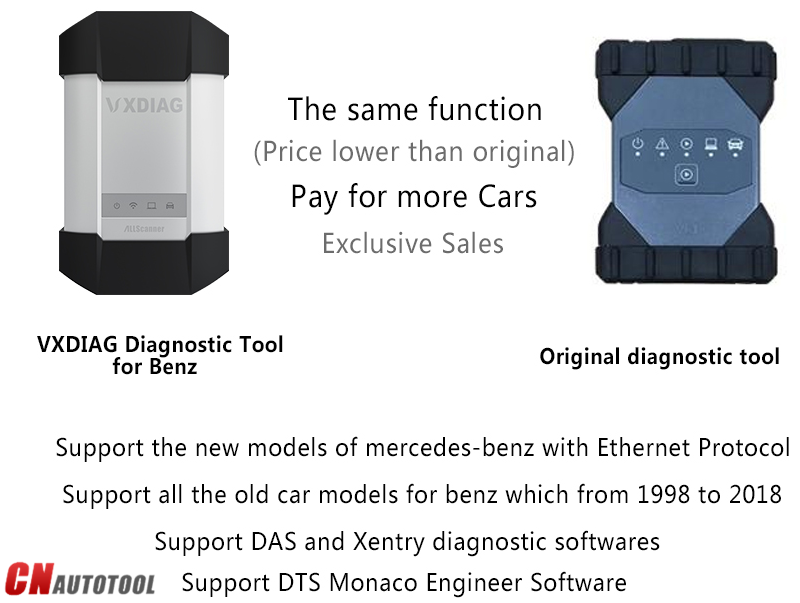
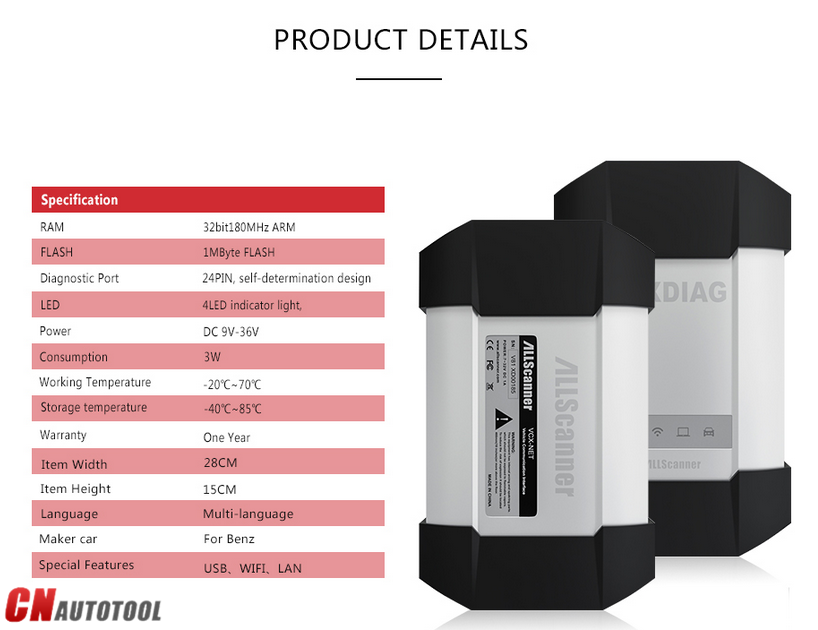
MB Star C6 Benz Diagnostic Tool with DOIP&AUDIO Function

VXDIAG MB SD Connect C6 MB Star C6 Benz Diagnostic Tool with DOIP&AUDIO Function
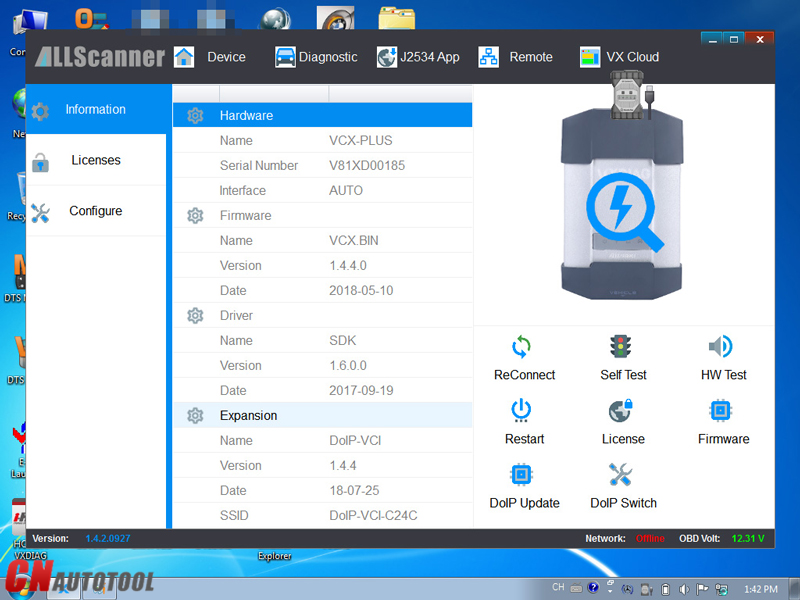
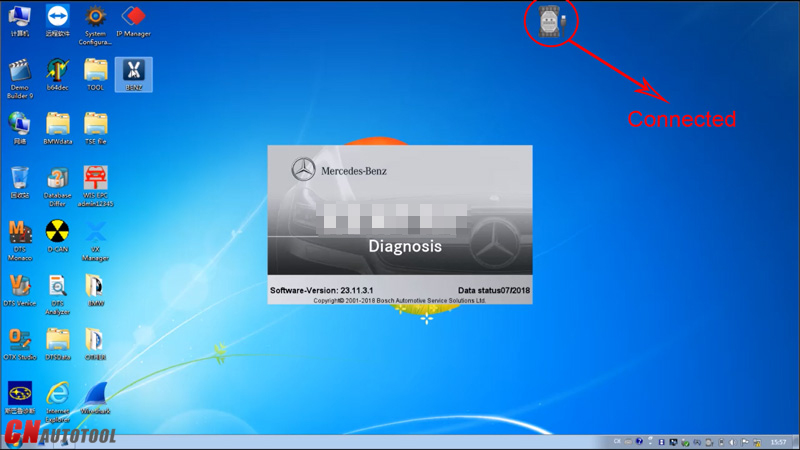
VXDIAG For XENTRY Diagnosis VCI is the latest interface for For Mercedes & SMART vehicles can replace Star C4/C5. VXDIAG For XENTRY Diagnosis VCI acts as a Pass-through Interface, also called Star C6, For Benz C6 multiplexer to provide complete communication between a vehicle and the VXDIAG For XENTRY software loaded on a PC.
VXDIAG MB SD Connect C6 XENTRY Diagnosis VCI Overview:
Compatible Software: XENTRY/Das Software
Support Vehicle: Mercede For Benz & Smart vehicles
DoIP: Support DoIP
Functions: Star Diagnostic & programming (SCN Coding)
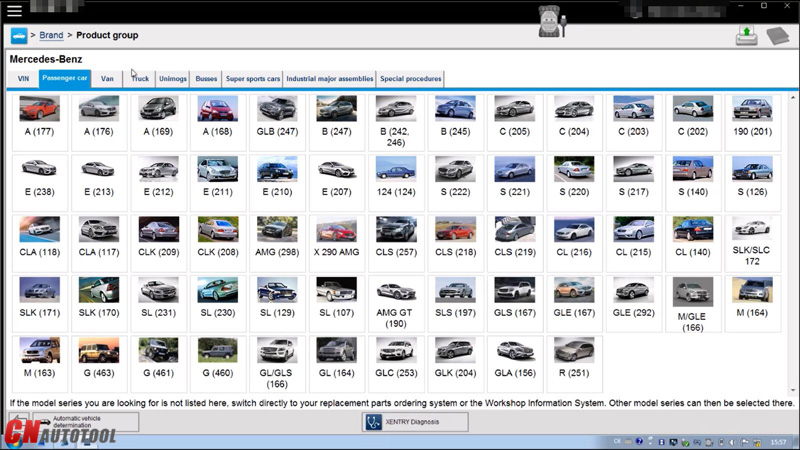
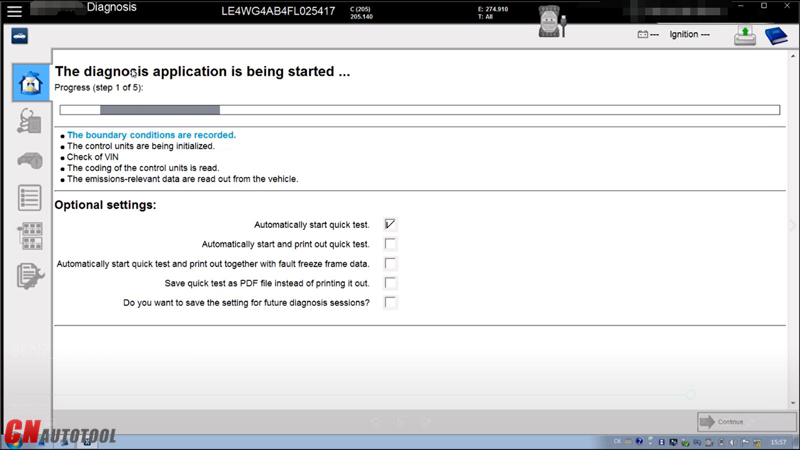
XENTRY Software Show:
3-1
3-2
3-3
3-4
XENTRY Diagnosis VCI Summary:
The new VXDIAG For XENTRY Diagnosis VCI (Vehicle Communication Interface) multiplexer serves as the interface to the vehicle when performing diagnosis and repairs, and programming electric and electronic on-board vehicle systems.
The VXDIAG For XENTRY Diagnosis VCI does not have its own PC core, battery, fan, or display. It is operated using the VXDIAG For XENTRY Diagnosis Pad via WLAN or a USB cable connection.
3-5
3-6
3-7

2019年3月5日星期二

Consult-3 Plus for Nissan is the newest Nissan diagnostic tool

Nissan Consult 3 Plus for Nissan is the newest Nissan diagnostic tool.
1. Nissan Consult III Plus supports Nissan 2016 MY LEAF Quest and Murano Cross Cabriolet,
2.super racing MY GT-R and 2012 of NV and 2012 MY Infiniti M and M Hybrid from 2011/12.
3.Consult-3 Plus for Nissan= Consult-3 + Consult-2
Consult-3 Plus for Nissan Consult 3 V61.10 diagnostic tool for Nissan
Consult-3 Plus for Nissan= Consult-3 + Consult-2
Software Version: V61.10
C3+ GTR software V20.11
This Consult-3 Plus work for 2016 Nissan
Support Multi-Languages: English, French, German, Portuguese, Italian, Japanese, Finnish, Greek, Russian, Spanish, Turkish, TChinese(Simplified), Chinese(Traditional)
Communication Mode: USB 2.0 / Bluetooth
OS Requirement: Work with Windows XP,WIN7 WIN8 WIN10
Support Electronic control module Programming,If you want to key programming, please buy the Security Card for Immobilizer
V61.10 Software Download: https://mega.nz/#!aUR3BaxB!ZL3WccsZn–wG8xIirSzgqlZiEkgyxDRen9MrugEr-w
Consult 3 Plus Function:
Consult-3 Plus for Nissan can support all the models of the Nissan and Infiniti from 1996 up till now, with all Consult II & III functions .
And consult III plus can calcaulate the password for the new cars till year 2016 with NISSAN Password.
1. Consult-3 plus (consult 3+) work for all nissan car , infiniti car and for nissan gtr car to 2016.
2. Consult-3 plus work with obd-16 connector for the new kind of car, work with 14 pin connector for the old kind of car.
3. Consult-3 plus support for nissan car electrolic system diagnostic.
4. Consult-3 plus support for nissan electromobiles such as Leaf.
5. Consult-3 plus support all Renault.
Cnautotool.com Conslu-3 for Nissan Functions:
1. Scantool Diagnostics:for all Nissan,Infiniti,GTR
2. Immobi and Smart key:for all Nissan,Infiniti,GTR
3. Nissan GTR: for Nissan GTR Diagbostics and Immobi
4. Electromobiles car:for Nissan Electromobiles car Diagbostics and Immobi

Cat Service Information System (SIS)

Do you want to stay on top of your repair and maintenance costs? Use the same tool that Caterpillar and Cat? Dealers use: Cat ET Service Information System (SIS). SIS is available by subscription via the Web, Network or DVD. CAT SIS covers every Cat product from 1977 through today. With SIS, you get access to 1.5 million part numbers, 2 million graphics and thousands of parts and service documents.
Using SIS provides fast searches, keeps you up-to-date with the latest information, eliminates outdated information in print and makes it easier to order parts, even after normal business hours. Make Cat SIS your single safe source for Cat parts and service information. Call your local Cat dealer for more on Web, Network and DVD subscriptions.
Cat Service Information System (SIS)
Improve Efficiency, Minimize Downtime
* Interactive Schematics
* 2D Hotpointed Graphics
* Streamline repair and maintenance operations with troubleshooting,
diagnostic and safety information
* Find exactly what you need with fast, efficient keyword searches
* Get the latest information with automatic updating
* View three decades worth of information on every Cat product
* Eliminate lost, missing and out-of-date paper manuals
* Take information into the field with a DVD subscription
* Rely on one safe source for parts and service information
Heavy Duty Truck diagnostic Scanner Cat SIS DVD recommended system requirements:
* 2.0 GHz Pentium-compatible processor
* 2GB of RAM
* 9-16+ GB of Free Hard Drive Space available through 2011 to allow for growth in graphics
* Optional file transfer device (such as a 3.5” disk drive or USB port and compatible Jump-drive)
* Third generation DVD drive capable of reading dual layer DVDs
* Monitor capability of supporting 1024 x 768 resolution and Open GL supported Graphics Card (Recommend 128MB+ RAM)
* Pointing device, built-in or external
* Hewlett Packard LaserJet V or compatible printer
* Microsoft Windows (XP, Vista and Windows 7)
* Microsoft Internet Explorer version 7.0 or 8.0 (must support Java Script and
Cat Dealers define worldclass product support. www.cnautotool.com offer you the right parts and service solutions, when and where you need them. The Cat dealer network of highly trained experts keeps your entire fleet up and running to maximize your equipment investment.